Export contacts
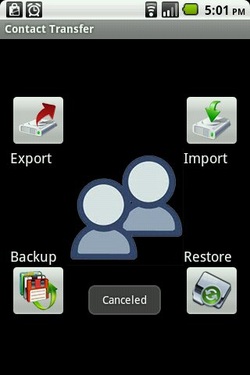
Import contacts from file.
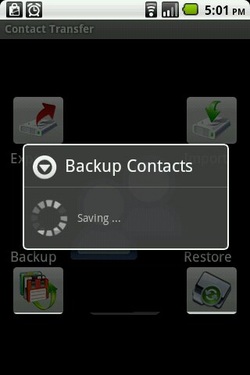
Backup your contacts.
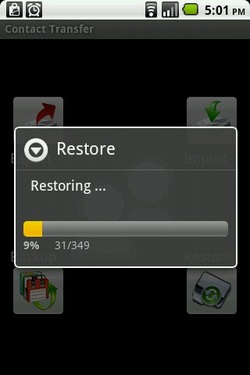
Restore your contacts.
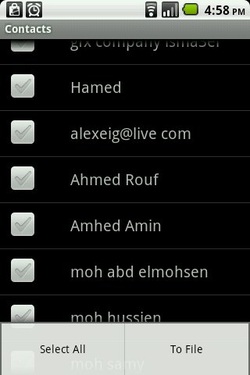
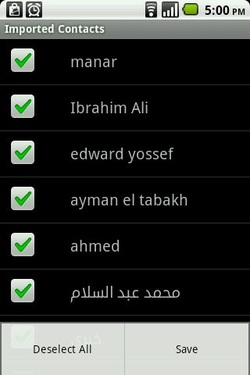
Select contacts
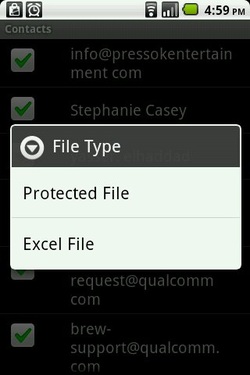
File type
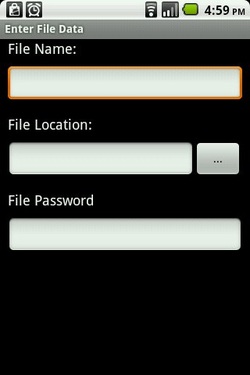
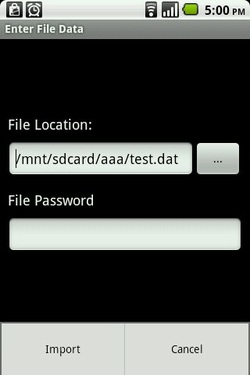
File data
Import contacts
Save contacts
Backup contacts
Restore contacts
Privacy Policy
This Privacy Policy governs the manner in which Contact Transfer collects, uses, maintains and discloses information collected from users (each, a "User") of the https://play.google.com/store/apps/details?id=com.aes.contacttransfergplay application.
Personal identification information
We may collect personal identification information from Users in a variety of ways, including, but not limited to, when Users visit our site, register on the site, and in connection with other activities, services, features or resources we make available on our Site. Users may be asked for, as appropriate, name. We will collect personal identification information from Users only if they voluntarily submit such information to us. Users can always refuse to supply personally identification information, except that it may prevent them from engaging in certain Site related activities.
Non-personal identification information
We may collect non-personal identification information about Users whenever they interact with our Site. Non-personal identification information may include the browser name, the type of computer and technical information about Users means of connection to our Site, such as the operating system and the Internet service providers utilized and other similar information.
Web browser cookies
Our Site may use "cookies" to enhance User experience. User's web browser places cookies on their hard drive for record-keeping purposes and sometimes to track information about them. User may choose to set their web browser to refuse cookies, or to alert you when cookies are being sent. If they do so, note that some parts of the Site may not function properly.
How we use collected information
Main App may collect and use Users personal information for the following purposes:
-
To run and operate our Site
We may need your information display content on the Site correctly. -
To improve customer service
Information you provide helps us respond to your customer service requests and support needs more efficiently. -
To send periodic emails
We may use the email address to send them information and updates pertaining to their order.
How we protect your information
We adopt appropriate data collection, storage and processing practices and security measures to protect against unauthorized access, alteration, disclosure or destruction of your personal information, username, password, transaction information and data stored on our Site.
Sharing your personal information
We do not sell, trade, or rent Users personal identification information to others. We may share generic aggregated demographic information not linked to any personal identification information regarding visitors and users with our business partners, trusted affiliates and advertisers for the purposes outlined above.
Advertising
Ads appearing on our site may be delivered to Users by advertising partners, who may set cookies. These cookies allow the ad server to recognize your computer each time they send you an online advertisement to compile non personal identification information about you or others who use your computer. This information allows ad networks to, among other things, deliver targeted advertisements that they believe will be of most interest to you. This privacy policy does not cover the use of cookies by any advertisers.
Google Adsense
Some of the ads may be served by Google. Google's use of the DART cookie enables it to serve ads to Users based on their visit to our Site and other sites on the Internet. DART uses "non personally identifiable information" and does NOT track personal information about you, such as your name, email address, physical address, etc. You may opt out of the use of the DART cookie by visiting the Google ad and content network privacy policy at http://www.google.com/privacy_ads.html
Changes to this privacy policy
Main App has the discretion to update this privacy policy at any time. When we do, we will post a notification on the main page of our Site. We encourage Users to frequently check this page for any changes to stay informed about how we are helping to protect the personal information we collect. You acknowledge and agree that it is your responsibility to review this privacy policy periodically and become aware of modifications.
Your acceptance of these terms
By using this Site, you signify your acceptance of this policy. If you do not agree to this policy, please do not use our Site. Your continued use of the Site following the posting of changes to this policy will be deemed your acceptance of those changes.
Contacting us
If you have any questions about this Privacy Policy, the practices of this site, or your dealings with this site, please contact us.
